| Support Category: LMS Requirements |
| Specialist Notes: |
IMPORTANT! |
| Standard Response: |
We believe you are not seeing the welcome page in the correct format because you may have selected 'deny' on a pop-up you received when first accessing the page.
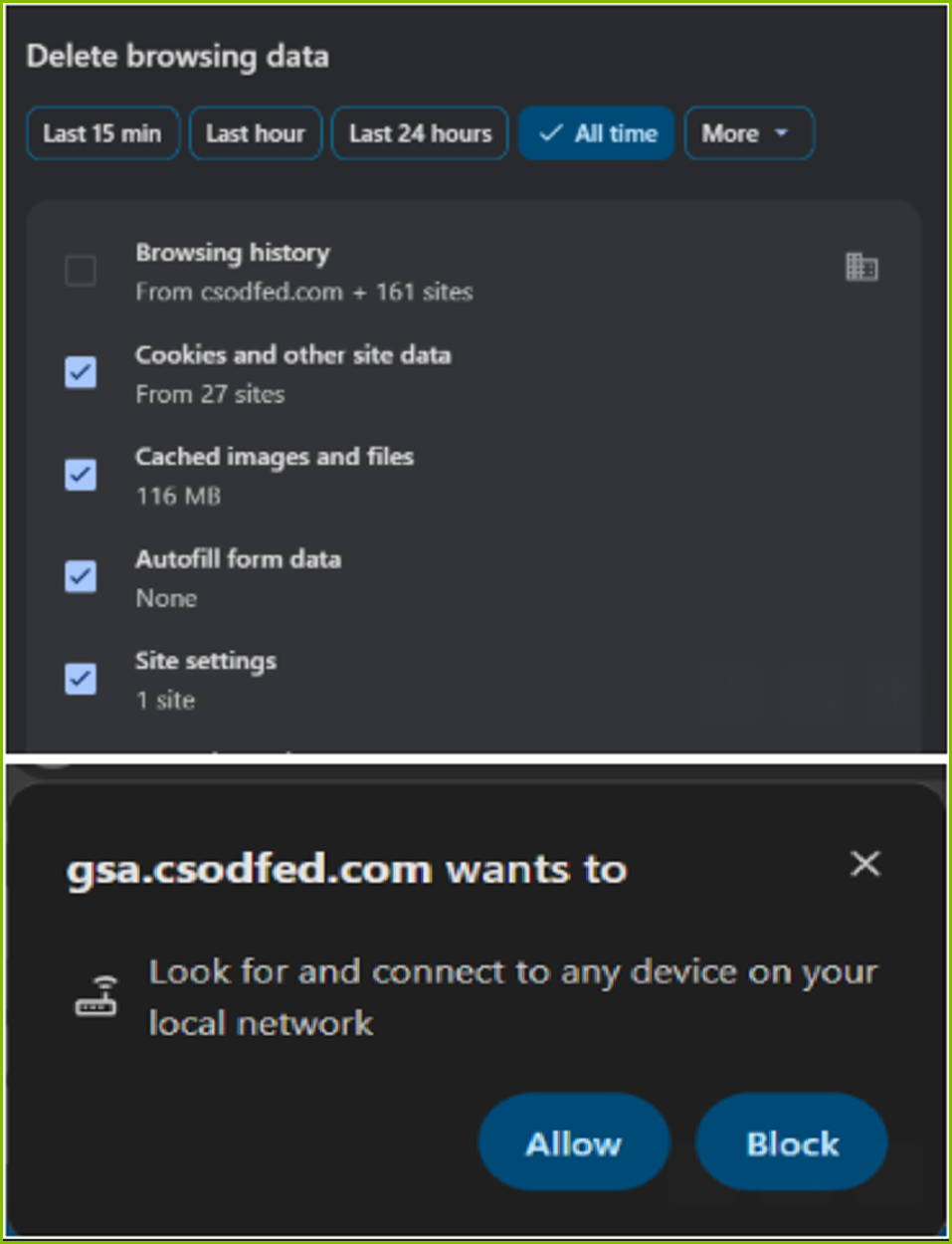
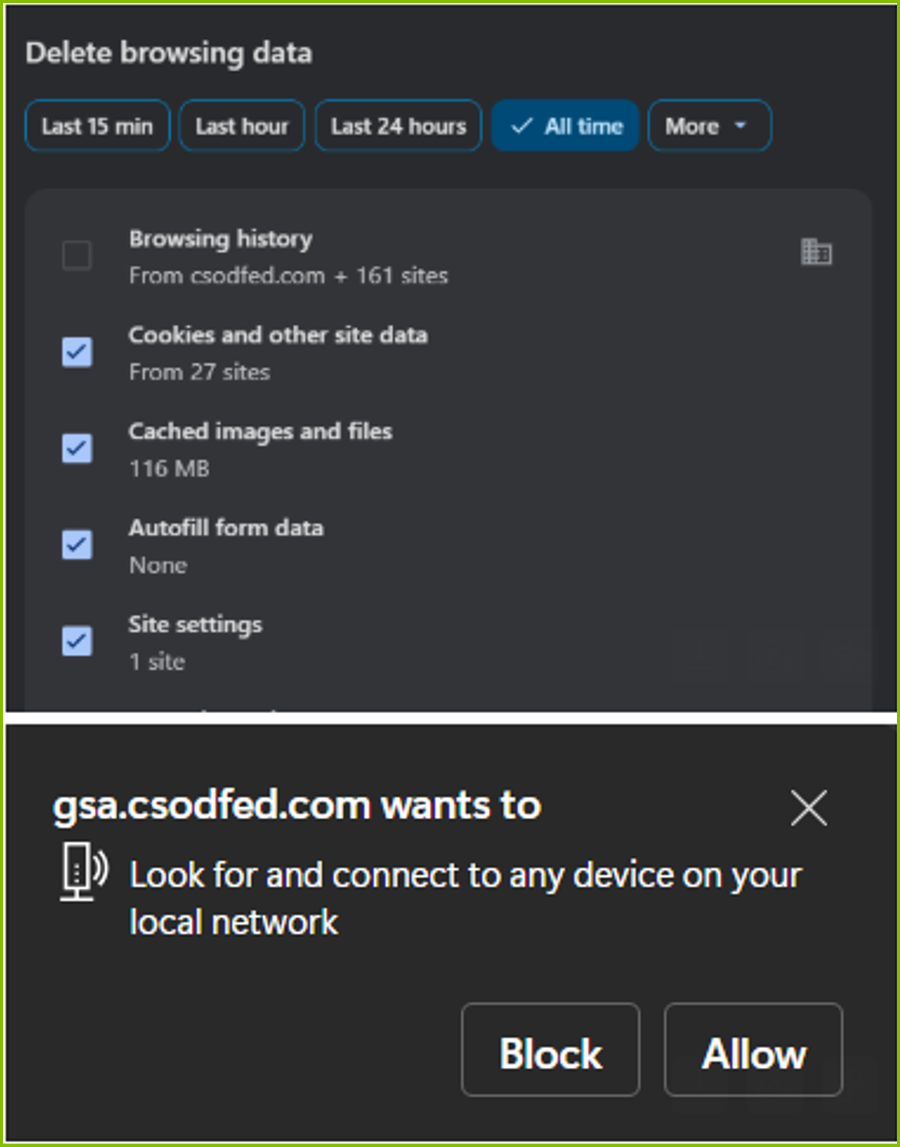
To resolve your issue, we advise clearing out the "Site Settings" (in Chrome) or "Site Permissions" (in Edge). When you refresh and return to the page, you should receive a prompt to Allow/Block access to the local network. Please select "Allow" for everything to display correctly.
Screenshot for Chrome:
Screenshot for Edge:
Please let us know if this resolves your issue.
