| Support Category: Course Progress Issue | Navigation |
| Specialist Notes: |
Users can skip to the last section of the course (Rules of Behavior) if they achieve a 100% score on the Pre-Test. However, on the score page, there are two buttons and if the user clicks the ‘Go to Module 1’ they will be taken to the first module of the course instead of the last one as intended.
To assist with this, please provide the SR below.
| Standard Response: |
If you have achieved 100% score in the Pre-Test, please follow the steps below to properly navigate to the Rules of Behavior section:
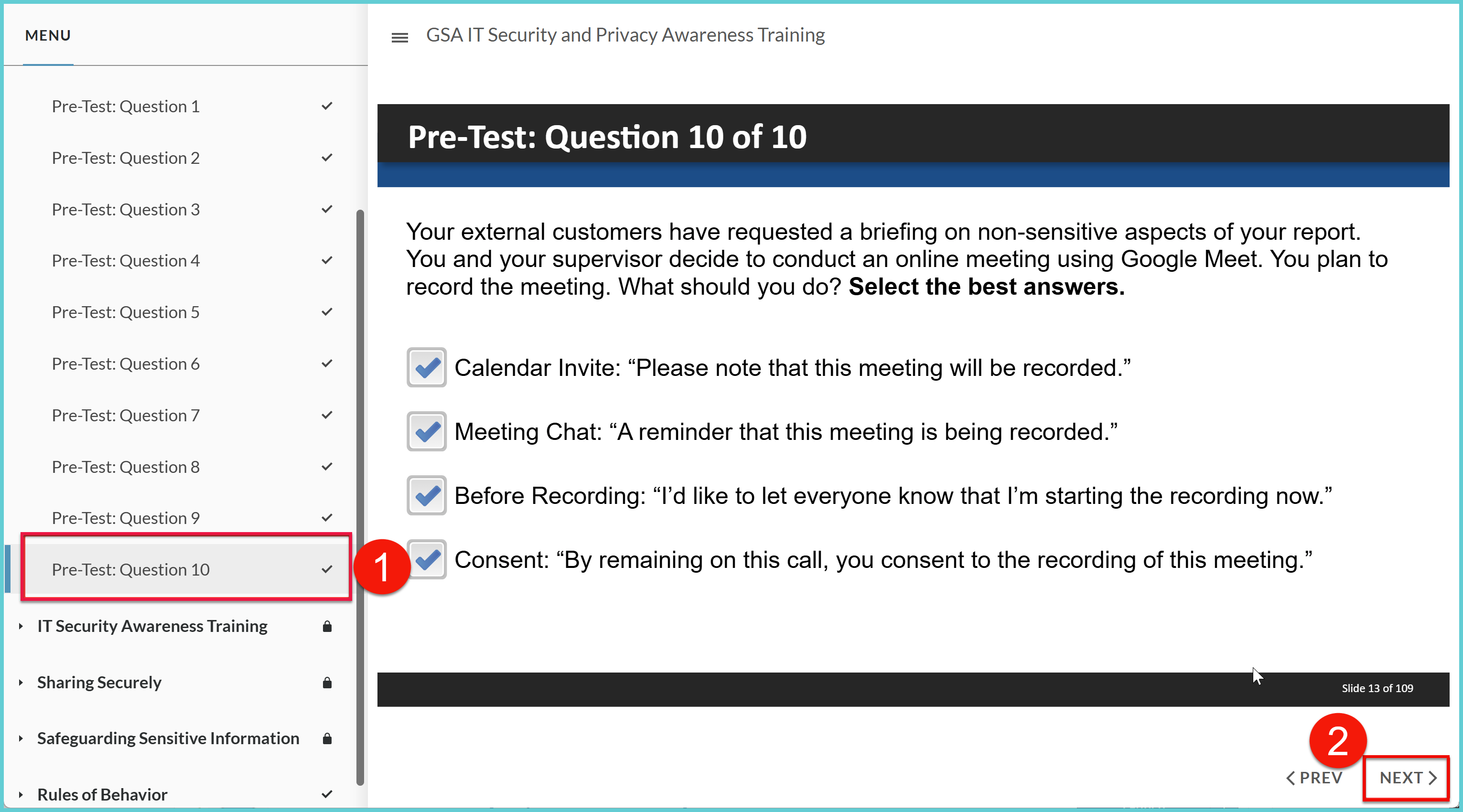
1. On the menu to the left, click the 'Pre-Test: Question 10' option.
2. The last question of the pre-test will show up, please click the 'NEXT >' button. (see screenshot below)
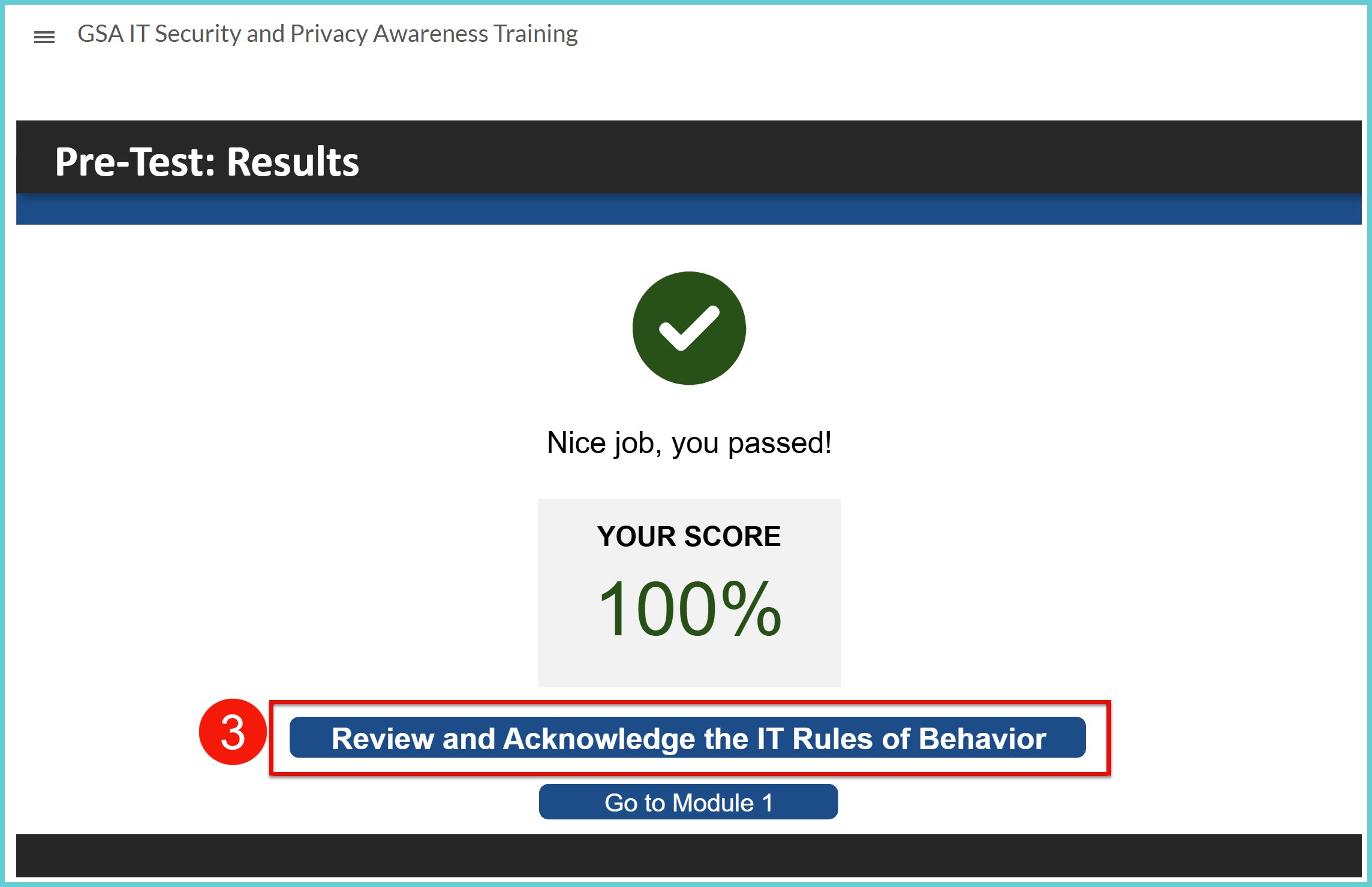
3. Once the slide with the 100% passing score shows up, please click the 'Review and Acknowledge the IT Rules of Behavior' button instead of the 'Go to Module 1'. (see screenshot below)
Please let me know if you’re able to navigate to the last section of the course. I’m standing by.
