| Support Category: Course Completion Issue |
| Specialist Notes: |
When a user has a completion issue and the course is a Percipio course, we need to make sure of the following:
1. The course/material/channel is in the OLU. If you're unable to locate the training in the Admin Catalog, please let the user know that they will need to add the training as external training. Should they need assistance with that, please provide the SF-182 SR.
2. The user watched/completed all sections of the training. Please ask the user to confirm if all sections in the table of contents have a dot or are checkmarked (no empty circles. We can always ask for a screenshot. [see example below]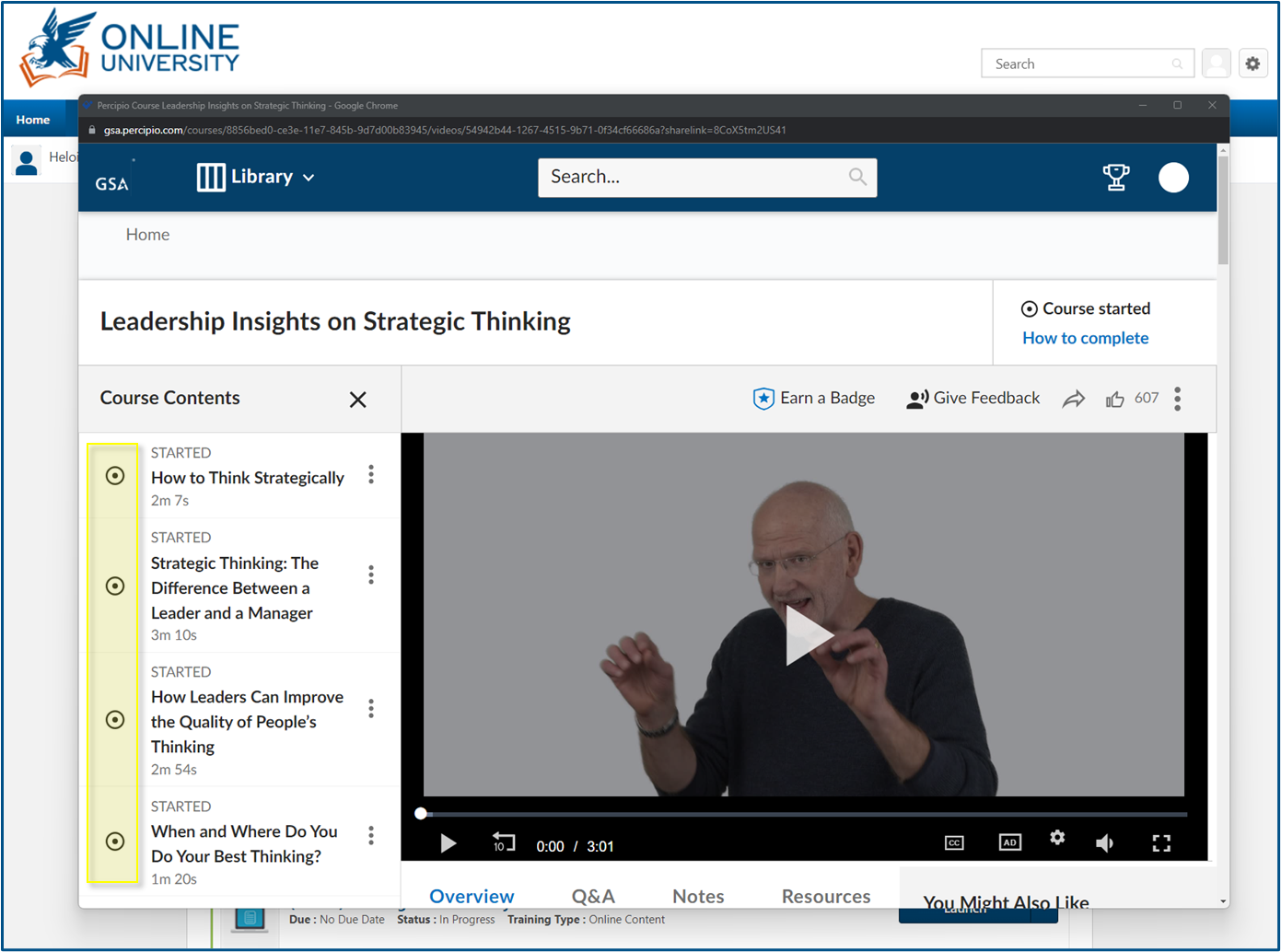 Note: Channels work like curriculums so all courses need to show as complete in order for the channel to move to completion.
3. The user was not timed out from OLU while they were taking the training. Kindly ask the user to confirm if that happened. If yes, please use the SR below. Although users launch the percipio courses from OLU, they're taken to the GSA Percipio portal which is a separate website, so they need to navigate to the OLU page to keep it active.
If all of the above are ruled out, please troubleshoot as usual and gather a screenshot as proof of completion so we can escalate it to the Administrators.
| Standard Response: |
Please note that if you're taking Percipio training, you will need to navigate between the course window and the OLU window every 29 minutes if you're connected to the GSA Network or using VPN, or every 14 minutes if you're not connected to the GSA Network. This is to prevent being logged out while completing your training which may cause issues with OLU not recording your course completion.
