Information Only! |
Percipio (formerly known as SkillSoft or SkillPort) is a content library. The GSA OLU integrated Percipio content in their Catalog so a user may launch a course, channel, etc. directly from OLU.
Percipio training will have the type of training in parentheses in front of their title. Examples: (COURSE) Leading with Strategic Thinking; (CHANNEL) Business Continuity; (BOOK) Coffee's for Closers: The Best Real Life Sales Book You'll Ever Read; etc.
Should you have access to GSA OLU, you can also identify a Percipio course by navigating to the Admin Catalog (Hover over the Admin tab and click 'Catalog'), searching for the course, and then looking at the 'Provider' column. [see image below]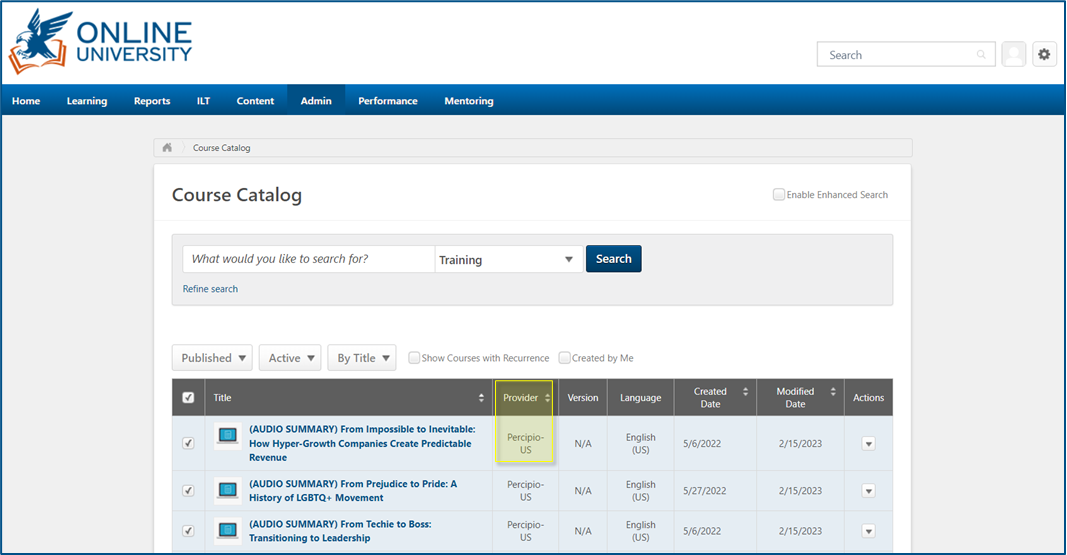
After clicking the launch button of a Percipio course within the OLU, a pop-up window will come up and the user should be taken straight to the course within gsa.percipio.com. [see example below]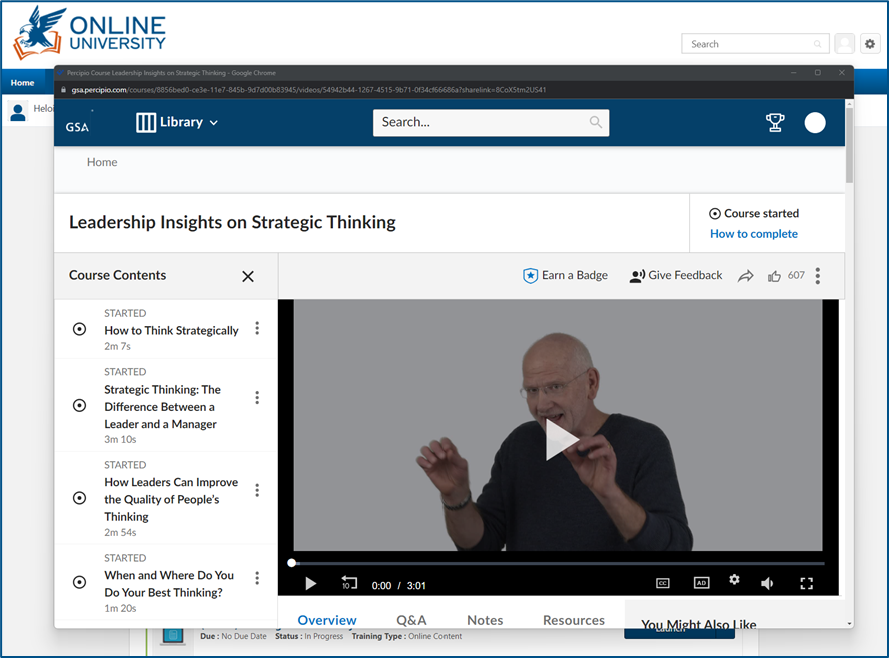
Should a user get any error messages after launching a course or are taken to an unusual page asking them to log in, the Admins asked that we ask for a screenshot and escalate.
After completing a course and closing the window, it should sync with the OLU and move the course to the completed transcript.
Some users, instead of closing the window after completing a course, will click on the GSA logo or Library button and will navigate through the GSA Percipio site. The site may also be accessed directly by going to gsa.percipio.com and the users will be automatically logged in if they're also logged into the GSA OLU. Although this is a quick way to access the full GSA Percipio library, this is not encouraged as it may cause issues with completed courses not showing as complete in the OLU.
Please see Percipio | Course Completion for troubleshooting steps should a course not move to completion
Kindly refer to Percipio | Navigation to assist users in navigating the gsa.percipio.com portal.
