| Support Category: LMS Navigation |
| Specialist Notes: |
A supervisor is requesting support with approving employee course requests.
| Standard Response: |
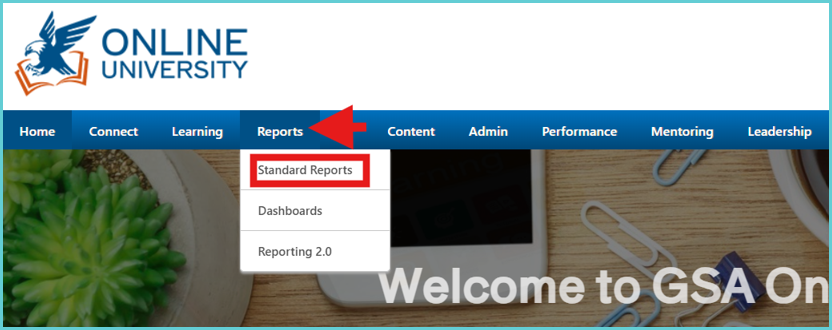
To approve their request, click on Reports on the top banner and select Standard Reports.
Select the Track Employees tab and select Pending Requests.
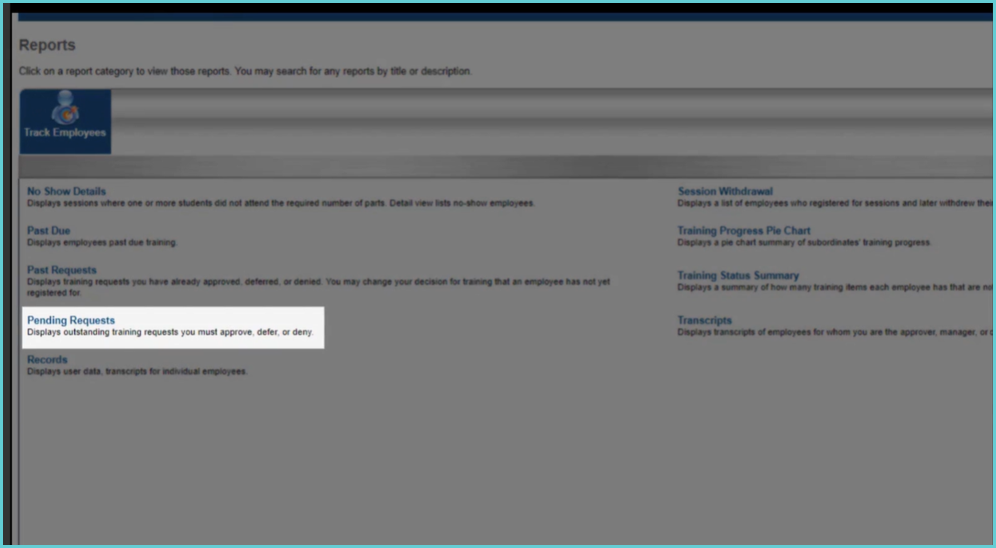
This will take you to a page that lists all currently pending requests. Under Options, you will have the choice to either approve (green checkmark) or deny (red X) a requested course.
