| Support Category: Course Launch | Relaunch Completed Course |
| Specialist Notes: |
Please provide this SR to users who are attempting to retake either the 'GSA Temporary Duty Travel Training' or the 'GSA Travel Card Training' but are not receiving an updated certificate. Users must REQUEST (not simply launch) a course in order for a new instance to be created. They will have to complete the new instance of the course, even if they have attempted it multiple times.
Only escalate if they are giving a lot of pushback.
| Standard Response: |
Kindly note, in order to receive an updated certificate for a previously completed course, a new instance of the course must be created. Kindly follow these steps to do so:
1. Please locate the course using the course catalog search bar in your upper right-hand corner.
2. Upon locating the course, click the title, and you should be taken to a page with a blue 'Request' button.
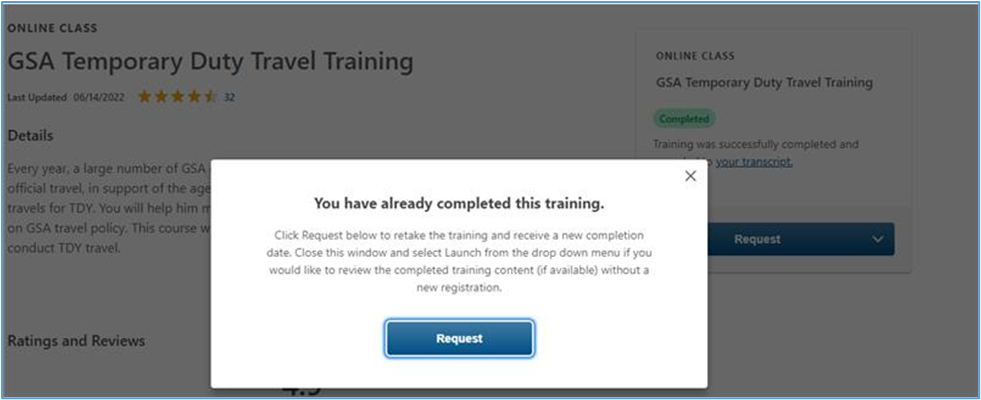
3. Click on the 'Request' button. If the box does not say 'Request', kindly click the downward-facing arrow that is right next to the box and select the 'Request' option from the menu.
4. This will prompt a dialogue box that says, "You have already completed this training." Click 'Request' a second time, then, you will be able to select the 'Launch' option.
This will generate the new instance and provide you with an updated certificate upon completion.